Wave Rider Game
Surf an endless tropical course, dodge obstacles and collect starfish. Free to play online.
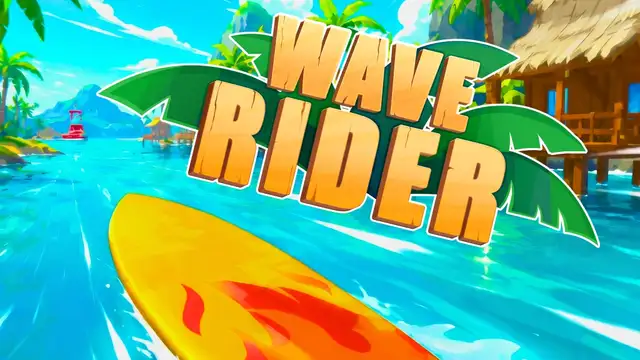
Free · no download · keyboard: W A D or arrow keys
Paddling out… loading Wave Rider
Surf report
- Type
- Endless surfing runner
- Controls
- W A D or arrow keys
- Price
- Free, no download
- Publisher
- Azgames.io (2026)
What is the Wave Rider game?
Wave Rider is a free endless surfing game you play in your browser. You pick a surfboard or a jet ski, drop onto a bright tropical course and ride as far as you can before you hit something. There are no levels and no finish line: every run is a single attempt at a longer distance, and the ocean keeps getting faster the longer you last.
The Wave Rider game on this page is the 2026 version published by Azgames.io. We embed it as-is, so you play the same build without installing anything. Because each run ends on the first crash, Wave Rider fits nicely into a short break.
How to play Wave Rider
Wave Rider only asks you to steer and time your moves. Here is how a run works from start to finish.
Pick your ride
Wave Rider lets you surf on a board or ride a jet ski. You start with what is unlocked; most other boards and jet skis cost starfish.
Steer around the obstacles
Logs, rocks, holes and waterfalls appear across the course. Slide left and right to keep a clear line ahead of your board.
Collect starfish on the way
Starfish are the Wave Rider currency. Ride through them when the path is safe and they add to your total for new boards.
Handle the speed-up
Your board gets faster the longer you survive, so the gaps you can react to get shorter as the run goes on.
Crash, then try again
Any collision ends the ride on the spot and there is no revive. Spend your starfish, pick a ride and start a new run.
Wave Rider controls
Wave Rider is built for a keyboard. You can use the W, A and D keys or the arrow keys, whichever feels more natural. A and D (or Left and Right) steer your board sideways across the wave. W (or Up) is the third key the publisher maps, so try it on an open stretch of water early in a run to learn what it does before you need it. If the keys do nothing, click inside the game once so it has keyboard focus.
On a phone or tablet, open the game and try it; the publisher lists only keyboard controls, so a computer gives the most reliable Wave Rider experience.
Wor ↑
Aor ← steer left
Dor → steer right
Wave Rider obstacles and starfish
The Wave Rider course mixes hazards with collectibles. Knowing what each one does helps you decide when to dodge and when to grab.
| On the water | What it means for your run |
|---|---|
| Logs | Floating obstacles in your lane. Hitting one ends the run, so steer around them early. |
| Rocks | Solid hazards that do not move. A clean line past them is the safest choice. |
| Holes | Gaps in the course to ride around. Look ahead so a hole does not appear right under you. |
| Waterfalls | Listed by the publisher among the Wave Rider obstacles. Treat them with the same care as anything else in your way. |
| Starfish | Not a hazard: the in-game currency that unlocks most boards and jet skis. |
Why people keep playing Wave Rider
The hook in Wave Rider is the speed curve. Your board moves faster and faster the longer you survive, so a stretch that felt easy early on needs quick, clean reactions later. Because one hit ends the run and there is no revive, each attempt has real tension.
The second hook is the garage. Wave Rider has dozens of surfboards and jet skis, and most of them are unlocked with starfish you pick up while riding. That gives every run a small goal even when you do not beat your best distance: a few more starfish puts the next board within reach.
Wave Rider FAQ
Is the Wave Rider game free?
Yes. You can play Wave Rider on this page for free. There is nothing to buy to start a run, and new boards and jet skis are unlocked with starfish you collect in the game.
Do I need to download Wave Rider?
No. Wave Rider runs in your web browser. Press Play Wave Rider at the top of the page and the game loads in the same spot.
What are the Wave Rider controls?
Use W, A and D or the arrow keys. A and D (Left and Right) steer your board; W (Up) is the third key the publisher maps. If keys do not respond, click inside the game first.
Can I play Wave Rider on a phone?
You can open the page on a phone and try, but the publisher only lists keyboard controls, so a computer with a keyboard is the most reliable way to play Wave Rider.
Can I revive after a crash in Wave Rider?
No. According to the publisher, a collision ends your ride instantly and there is no way to revive it. Each run is one attempt at a longer distance.
What are starfish used for in Wave Rider?
Starfish are the in-game currency. You collect them while riding and use them to unlock most of the surfboards and jet skis in Wave Rider.
Who made this Wave Rider game?
This Wave Rider is published by Azgames.io. We embed their version on this page; we did not develop the game.
Is this the same Wave Rider as on other game sites?
Not always. Several different games use the name Wave Rider, including an older one-button arcade game and a paid PC racer. This page hosts the 2026 endless surfing game with surfboards, jet skis and starfish.
Wave Rider is not loading. What can I do?
Reload the page and press Play again, and give the game a few seconds on a slow connection. If it still stays blank, try another browser or turn off extensions that block scripts or third-party frames, since the game loads from the publisher's server.
Wave Rider chat: share your best distance
No comments yet. Be the first to post your longest Wave Rider run.
Comments are closed right now.